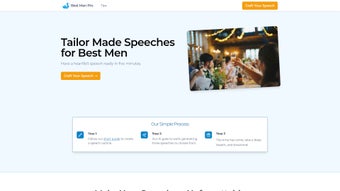

Download Best Man Pro – AI Speech Writer, Free & Secure
Overview
Best Man Pro is an AI‑driven web application that takes the stress out of writing a best man speech. Whether you’re a seasoned speaker or facing writer’s block for the first time, the platform guides you through a simple outline‑building process and instantly generates three distinct speech drafts. Each draft draws from a curated library of iconic wedding speeches, ensuring the tone is heartfelt, appropriate, and memorable.
The tool doesn’t just spit out generic text; it encourages personalization by allowing you to edit the AI‑generated content, swap anecdotes, and adjust the humor level to match your unique voice. A money‑back guarantee backs the service, highlighting the company’s confidence in delivering a speech that will impress both the bride, groom, and the entire wedding audience. Best Man Pro is hosted securely in the cloud, meaning you can access your drafts from any device with an internet connection, and all data is encrypted during transmission.
The intuitive interface, coupled with step‑by‑step guidance, makes the whole experience feel like having a personal speech coach right at your fingertips. This combination of AI technology, extensive speech templates, and user‑friendly design positions Best Man Pro as the go‑to solution for anyone tasked with delivering a best man speech that truly resonates.
Key Features
- AI‑Generated Drafts: Receive three unique speech options based on a single outline, each crafted from a database of classic and modern wedding speeches.
- Step‑by‑Step Outline Builder: Guided prompts help you capture essential details—relationship anecdotes, tone preferences, and key moments—so the AI knows exactly what to include.
- Personalization Toolbox: Edit, rearrange, or replace sections directly in the web editor; adjust humor, sentiment, and length with simple sliders.
- Extensive Speech Library: Access a curated collection of iconic speeches for inspiration, ensuring cultural relevance and emotional impact.
- Secure Cloud Storage: All drafts are saved to an encrypted cloud account, allowing you to retrieve and edit your speech from any device.
- Money‑Back Guarantee: If the final speech doesn’t meet expectations, a full refund is available within 30 days of purchase.
- Multi‑Language Support: Supports English, Spanish, French, and German, making it suitable for international weddings.
- Real‑Time Collaboration: Share a read‑only link with trusted friends or family for feedback without exposing your login credentials.
Installation, Usage & Compatibility
Best Man Pro is a web‑based application, which means there is no traditional installation process. To get started, simply visit the official website and create a free account using an email address or a social login (Google, Apple, or Facebook). The sign‑up flow is designed to be frictionless: after confirming your email, you’ll be taken straight to the dashboard where the speech‑creation wizard awaits.
Step‑by‑Step Usage
- Launch the Wizard: Click “Create New Speech” and answer a series of short questions about the couple, your relationship, and the desired tone (humorous, sentimental, or a mix).
- Generate Drafts: Once the outline is complete, the AI processes the data and produces three distinct drafts within seconds. Each draft is displayed side‑by‑side for easy comparison.
- Customize: Use the built‑in editor to tweak phrasing, insert personal stories, or adjust the length. The editor includes formatting tools (bold, italics, bullet points) to help you structure the speech for live delivery.
- Preview & Export: After finalizing the speech, preview it in “presentation mode” to see how it will look when read aloud. Export options include PDF, Word, and plain text, or you can copy directly to the clipboard.
- Practice: The platform offers a “Read Aloud” feature that uses text‑to‑speech technology, allowing you to hear pacing and timing before the big day.
Because Best Man Pro runs entirely in a browser, it is compatible with all major operating systems. The application works on Windows 10/11, macOS Ventura and later, Linux distributions, as well as mobile platforms such as Android 9+ and iOS 13+. No additional plugins or extensions are required; the service relies on modern HTML5, CSS3, and JavaScript, ensuring fast load times and a responsive design that adapts to tablets, smartphones, and desktop monitors alike.
Pros & Cons, FAQ & Conclusion
Pros
- Fast generation of multiple speech drafts saves time.
- Highly customizable—personal voice can shine through.
- Secure cloud storage means you never lose your work.
- Money‑back guarantee reduces purchase risk.
- Cross‑platform compatibility (Windows, macOS, Android, iOS).
- Built‑in collaboration and preview tools streamline feedback loops.
Cons
- Requires an internet connection; offline use is not supported.
- AI may occasionally suggest clichés that need manual editing.
- Full feature set is behind a subscription paywall after a limited trial.
Frequently Asked Questions
Is Best Man Pro really free to use?
Best Man Pro offers a free trial that lets you generate up to three speech drafts. Full access to unlimited drafts, advanced editing tools, and export options requires a paid subscription, but the trial is sufficient for most users to gauge the quality.
Can I use Best Man Pro on my iPhone?
Yes. The web app is fully responsive and works on Safari, Chrome, and other browsers on iOS 13 or later. No app store download is required.
How secure is my speech data?
All data transmission is encrypted with TLS 1.3, and drafts are stored in encrypted cloud storage. The platform complies with GDPR and CCPA standards, ensuring your personal anecdotes remain private.
What if I’m not satisfied with the generated speech?
Best Man Pro offers a 30‑day money‑back guarantee. If the final speech doesn’t meet your expectations, you can request a full refund through the support portal.
Do I need any technical skills to edit the AI drafts?
No. The built‑in editor uses a simple WYSIWYG interface, similar to word processors like Google Docs. You can drag‑and‑drop paragraphs, change fonts, and add bullet points without any coding knowledge.
Conclusion & Call to Action
Best Man Pro bridges the gap between creative inspiration and polished delivery, turning a daunting task into a streamlined, enjoyable process. Its AI‑generated drafts provide a solid foundation, while the robust editing suite ensures the final speech feels authentically yours. With cross‑platform compatibility, secure cloud storage, and a risk‑free money‑back guarantee, the tool stands out as a reliable ally for any best man seeking to leave a lasting impression.
Ready to craft a speech that will be remembered for years to come? Click the button below to start your free trial, generate your first drafts, and experience the confidence that comes from a well‑prepared, heartfelt performance.



.png)



